From overview to fixed links,
on every screen
Every screen answers one question first: what should I do here? Then it lets you do it — and you approve every change.
The whole site on one screen
The Dashboard starts with the Site map: every cluster as a rectangle, sized by its number of articles and coloured by health — or by the share of articles nothing links to. Click a cluster to see its link graph right below.
- Site map of every cluster — health or orphan view
- Cluster graph with pillars in the middle and orphans at the edge
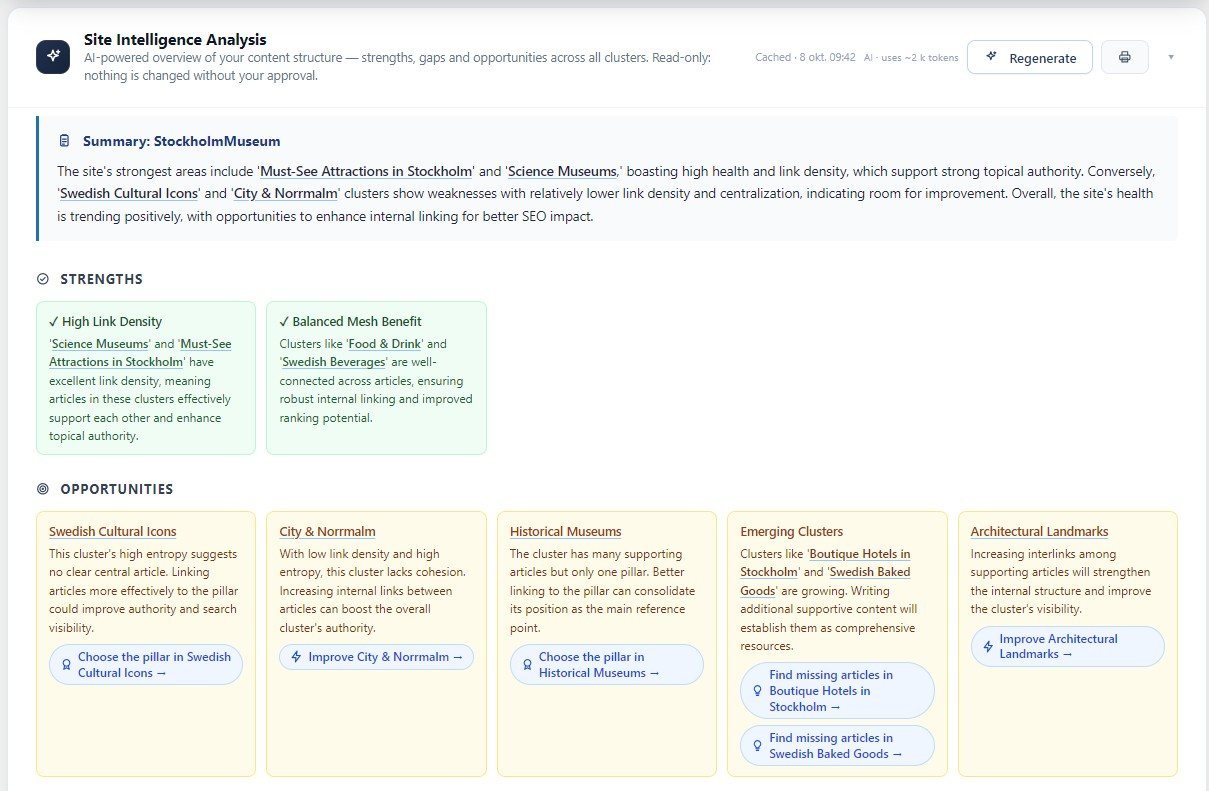
- Site Intelligence Analysis (Pro): what works, what to fix and in which order
- Every recommendation has a button to the right tool and cluster
- Focus next: the three clusters where a few links matter most
- One Scan button in the bar at the top of every page — it updates every figure
Know which cluster to fix — and how
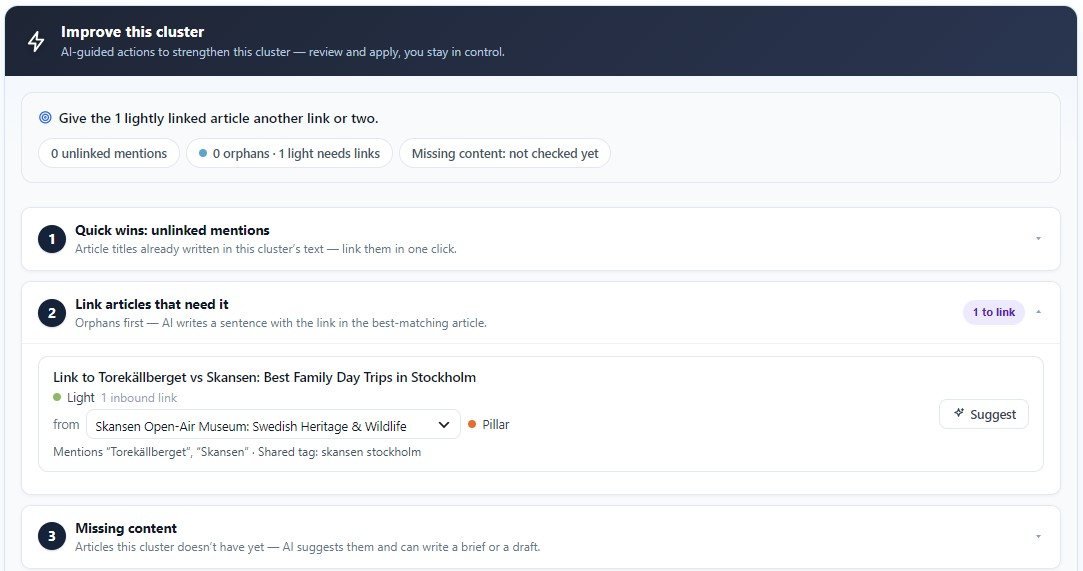
Focus next picks the three clusters where a few links make the biggest difference. Open one and Improve this cluster lists the fixes, most important first: articles nothing links to, mentions that can become links in one click, and articles that should link to the pillar.
- Focus next: where work pays off most
- Cluster list or cross-cluster map, with the same filters
- Improve this cluster: orphans, quick wins, missing content
- One pillar per cluster — or choose it yourself with one click
- Every article with its role, links and scores
- Grouped in sections like your site’s menu — or your own groups, by drag and drop
- Quick view of any cluster: health trend, links, pillar and the articles to start with
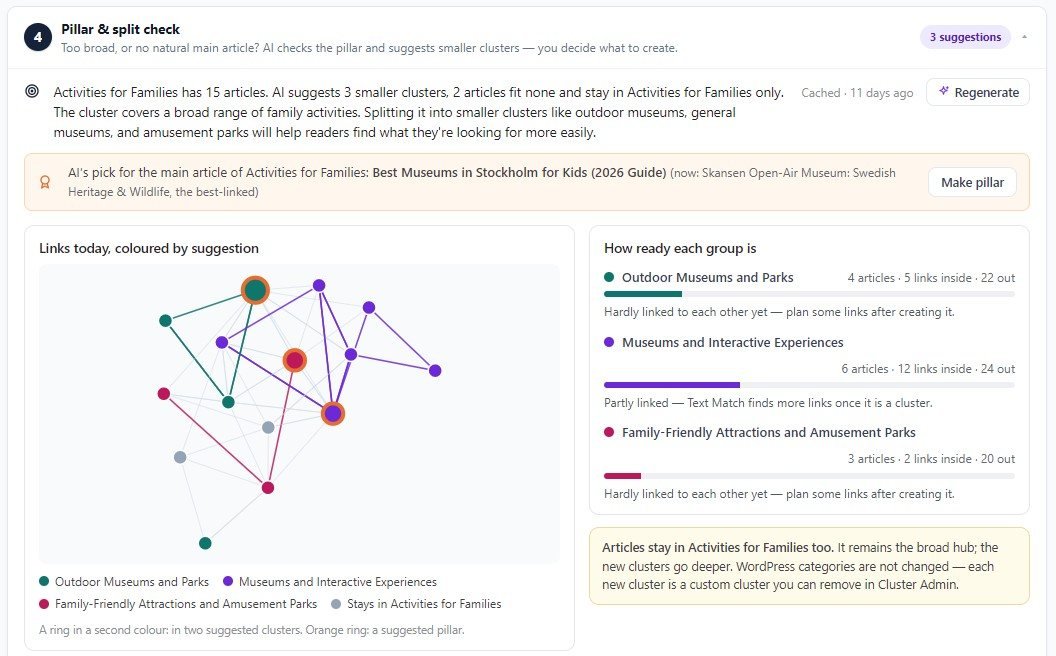
- Pillar & split check (Pro): which clusters are too broad, and how to split them
A to-do list for every article
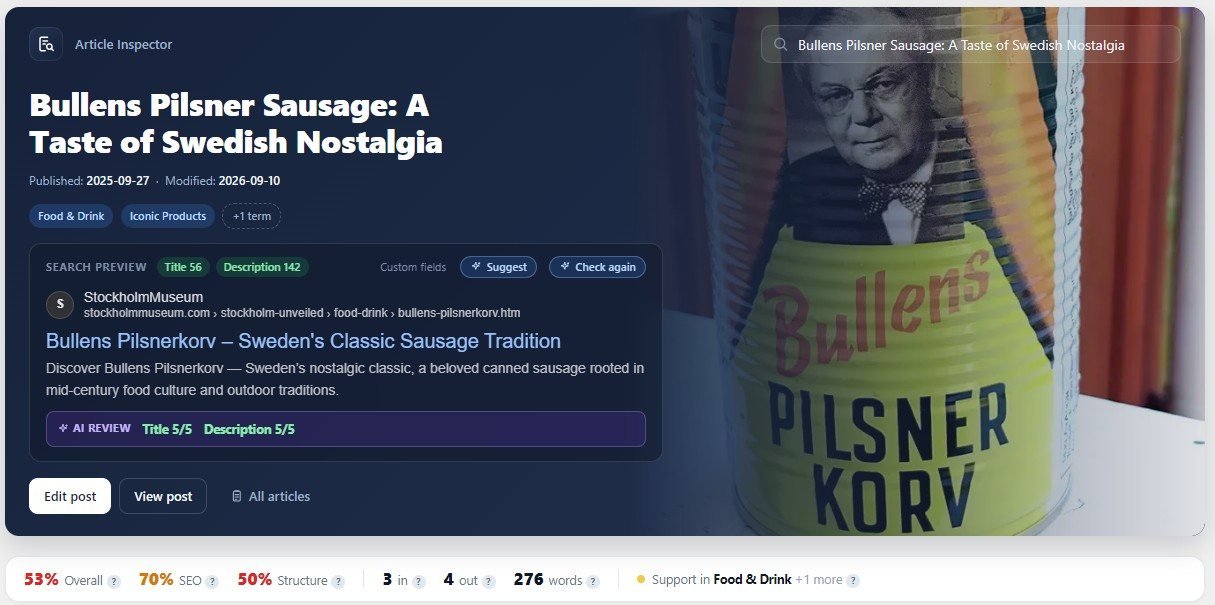
Open any article and the row under its title shows its scores, links, words and role at a glance. Improve this article says what to do, most important first — with the fixes one click away.
- Improve this article: missing links, unlinked mentions, pillar link, meta, structure
- Other articles that mention this one without linking — Apply in one click
- Article map: its own links, plus one tab per cluster it belongs to
- Articles to review: every article, needs-attention first, filter by cluster, role or meta
- Thumbnails everywhere, so you recognise articles at a glance
- Export CSV of any list, with your filters
Turn every mention into a link
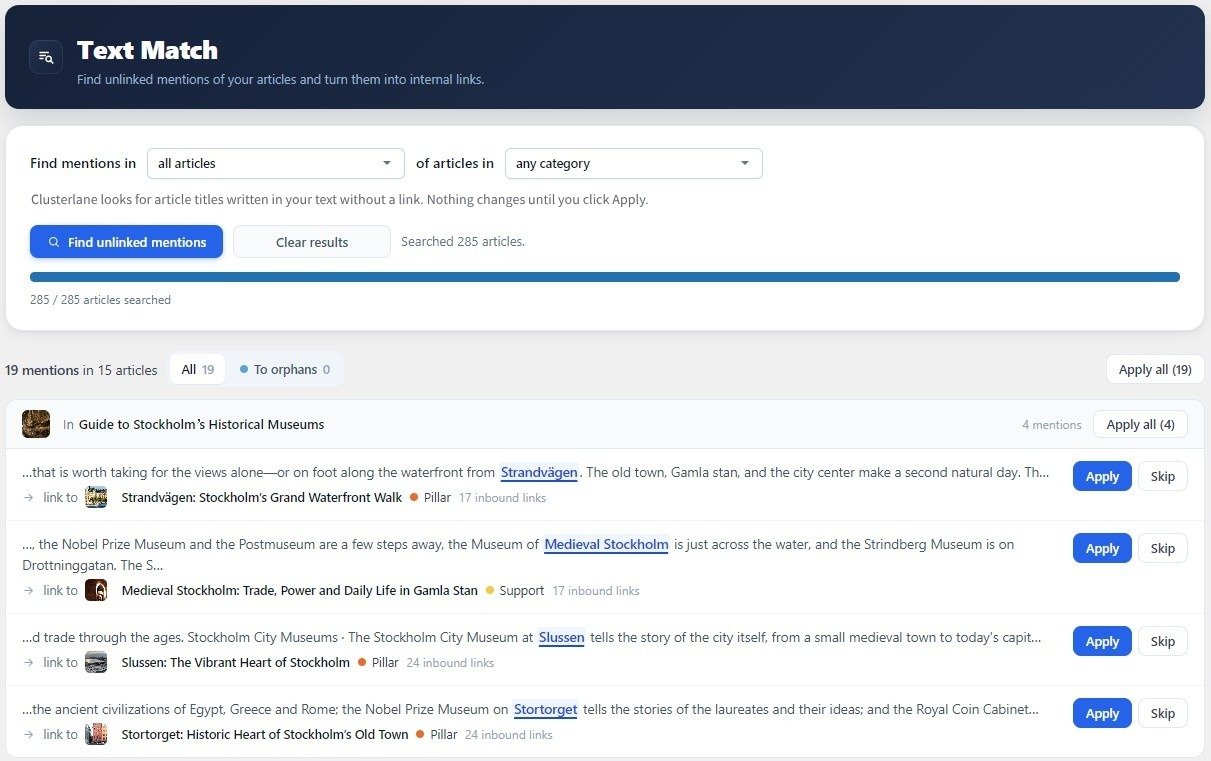
Text Match finds every place where an article already names another article's title without linking to it. Each hit shows the exact sentence and words; Apply adds the link, Undo removes it again.
- Scans all published articles, in both directions
- Skips captions, quotes, shortcodes and text that is already linked
- Orphans first, so the most-needed links come first
- Apply one, apply all — or undo a whole run
- Stop words and phrases you don't want linked
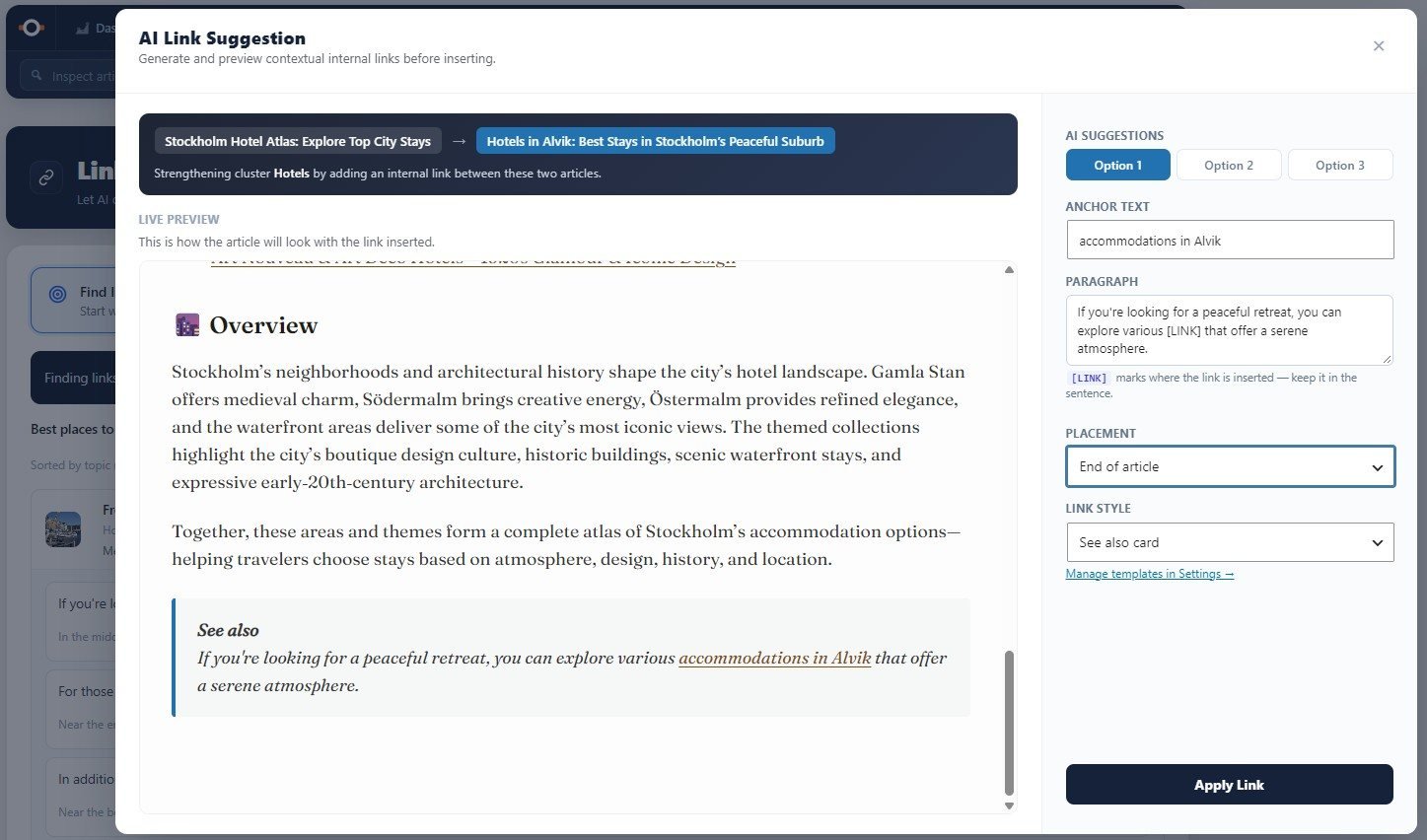
Natural links between any two articles
When there is no ready-made mention, AI writes a sentence with the link. Start from an article that needs links or from the one you are editing, pick a suggestion, preview it in place, and apply.
- Best articles to link from, ranked by relevance and strength
- Sort by best fit: AI ranks the candidates with reasons
- Three sentence options per pair, placed in the text or as a styled link card
- Undo for 30 minutes, refused if the article has changed since
- Works in the block editor, the classic editor and Elementor
- Link to the pillar: a short link at the end of every article in a cluster, added when the page is shown — nothing written into your text
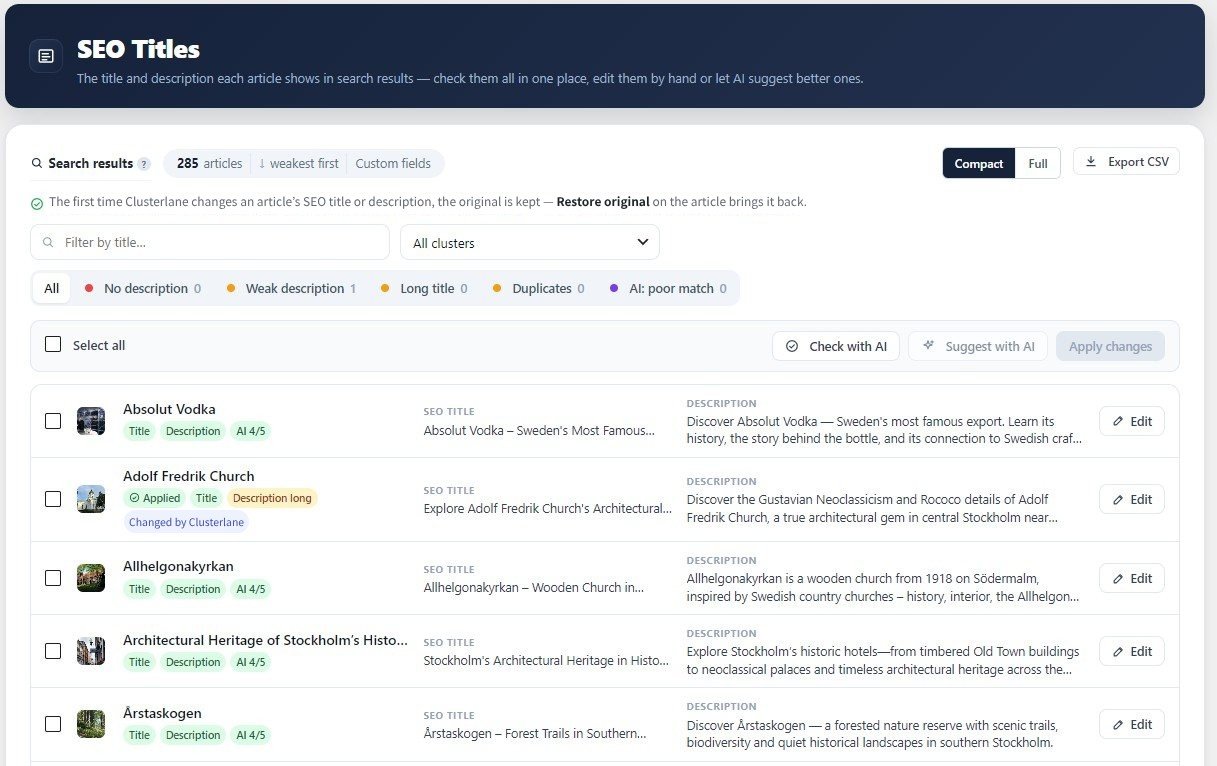
Every title and description, as Google shows them
SEO Titles lists the SEO title and meta description of every article on one page, weakest first, each with a search-result preview. Fix them by hand — or, with Pro, let AI suggest new ones and review the ones you have, ten articles at a time.
- Reads Yoast, Rank Math, SEOPress, All in One SEO, The SEO Framework — or your own or ACF fields
- Filters: no description, weak description, long title, duplicates
- Edit by hand with a live preview and undo
- The original is kept: Restore original brings it back, whenever you like
- Pro: AI suggestions with your brand suffix, language and style — choose field by field what to keep
- Pro: Check with AI scores every title and description 1–5 against the article itself
Know exactly what to write next
Clusterlane reads a cluster's articles and asks AI which articles are missing. Every suggestion can become a structured brief — headings, angle, and which articles it should link to and from.
- Missing articles per cluster, scoped to its topic
- Brief with purpose, keyword, meta description and sections
- Suggested links to and from existing articles
- Create a draft from the brief — you write the article
Example: missing articles in “Museums in Stockholm”
Is it one topic — or three?
AI reads a cluster’s articles and checks its structure: is this the right main article, and does a broad cluster really cover topics readers look for separately? You see the suggestion drawn on your own links, and nothing is created until you say so.
- 2–4 smaller clusters, always divided one way only — by area, style or period
- Today’s links coloured by suggestion, and how ready each group is
- A better main article, or an overview worth writing — with brief and draft
- Create turns the ones you tick into clusters with their pillars chosen
- Review cluster structure checks every cluster at once
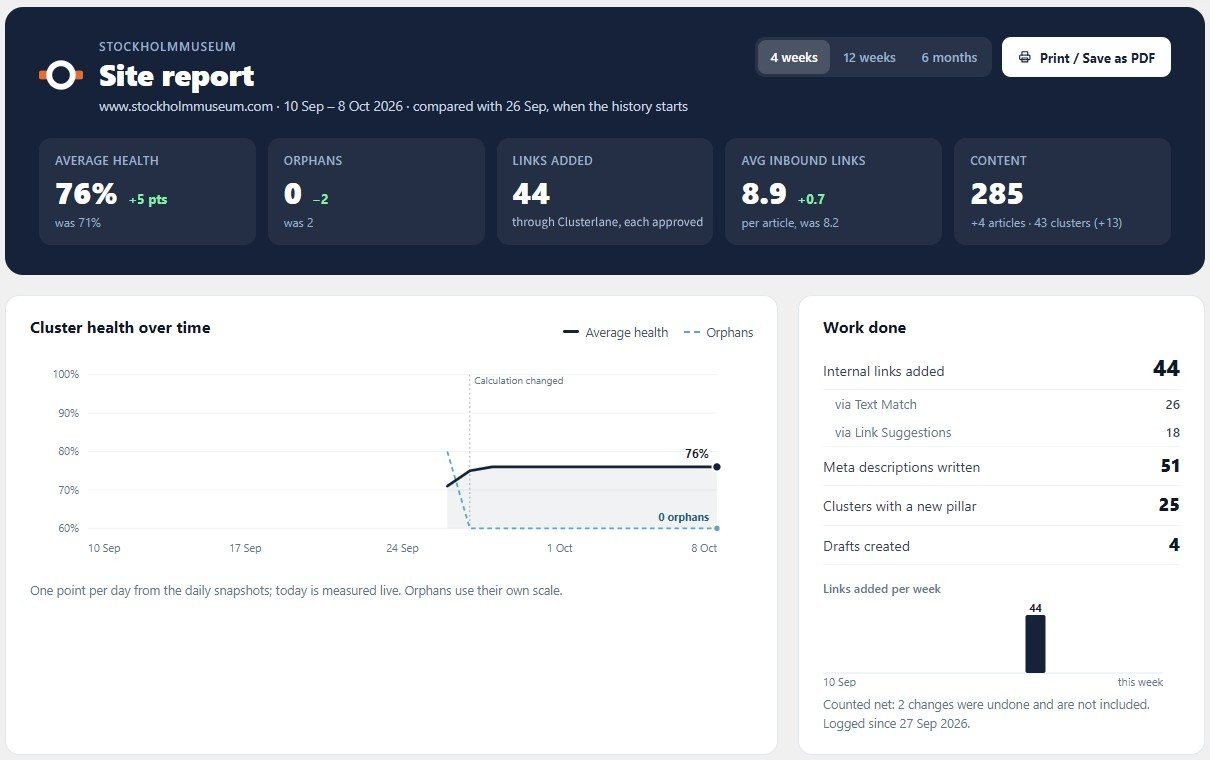
Show what changed — and what’s next
A calm, printable summary of the site: where it stands, how it has changed over 4 weeks, 12 weeks or 6 months, what has been done and what to fix next. Print it or save it as a PDF for a client.
- Cluster health and orphans over time, from a snapshot every day
- Work done: links added, meta descriptions written, new pillars
- Every cluster with its change, needs-attention first, and a quick view
- Still to do, with links straight to the right tool
- A summary written by AI, in plain words
Built for real WordPress sites, big and small
- Any taxonomyCategories, tags, your own taxonomies — and pages linked through ACF relationship fields, such as islands and their areas.
- WooCommerceProduct categories become clusters, products get their own score, and Text Match finds product names in your articles.
- MultilingualWith Polylang or WPML, links are only suggested between articles in the same language, and AI writes in the article’s language.
- Big sitesTested with 10,000 products and 15,000 pages: Text Match searches them all in under two minutes.
- Your editorBlock editor and classic editor; with Pro, links are written into Elementor’s Text Editor widgets too.
- Your SEO pluginYoast, Rank Math, SEOPress, All in One SEO, The SEO Framework — or your own fields.
Strong AI where it matters, pennies everywhere else
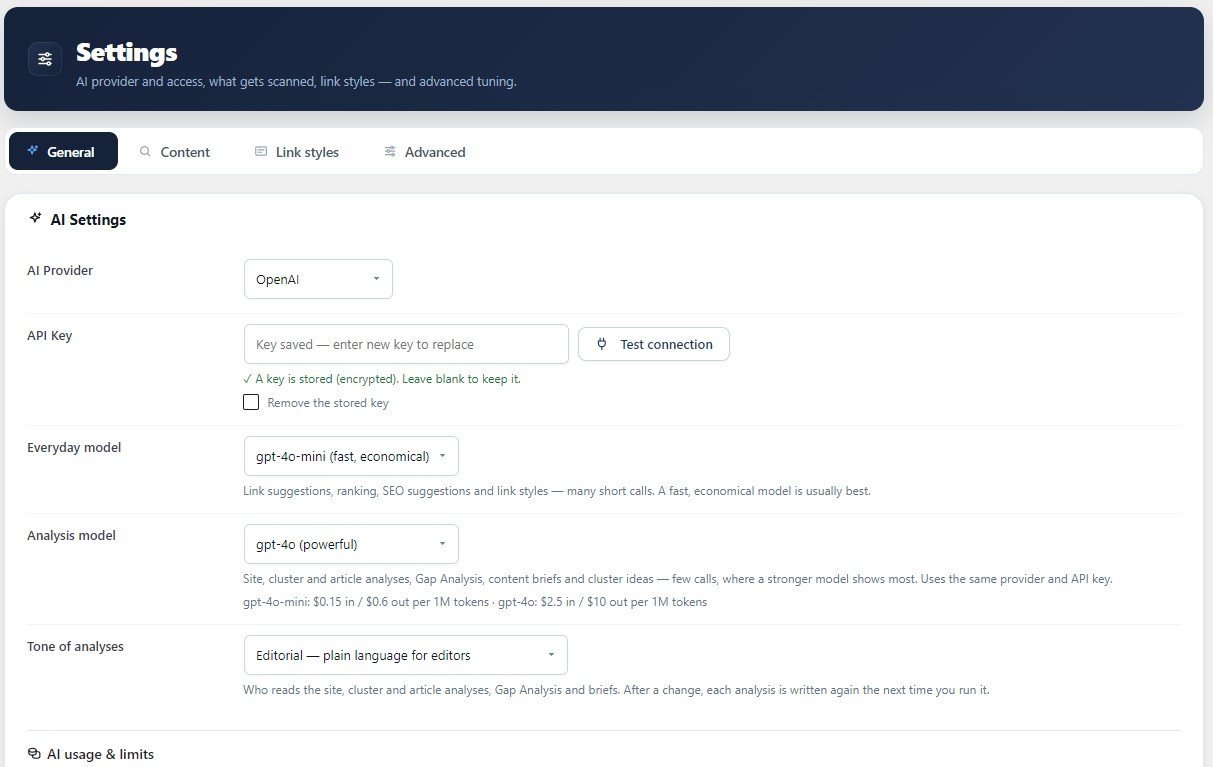
Use your own OpenAI or Anthropic key. Choose a fast, economical model for the many short calls and a strong one — such as Claude Opus — for the few big analyses. A month of normal use typically costs a few cents.
- Everyday model and analysis model on the same key
- Editorial tone for editors, technical tone for SEO specialists
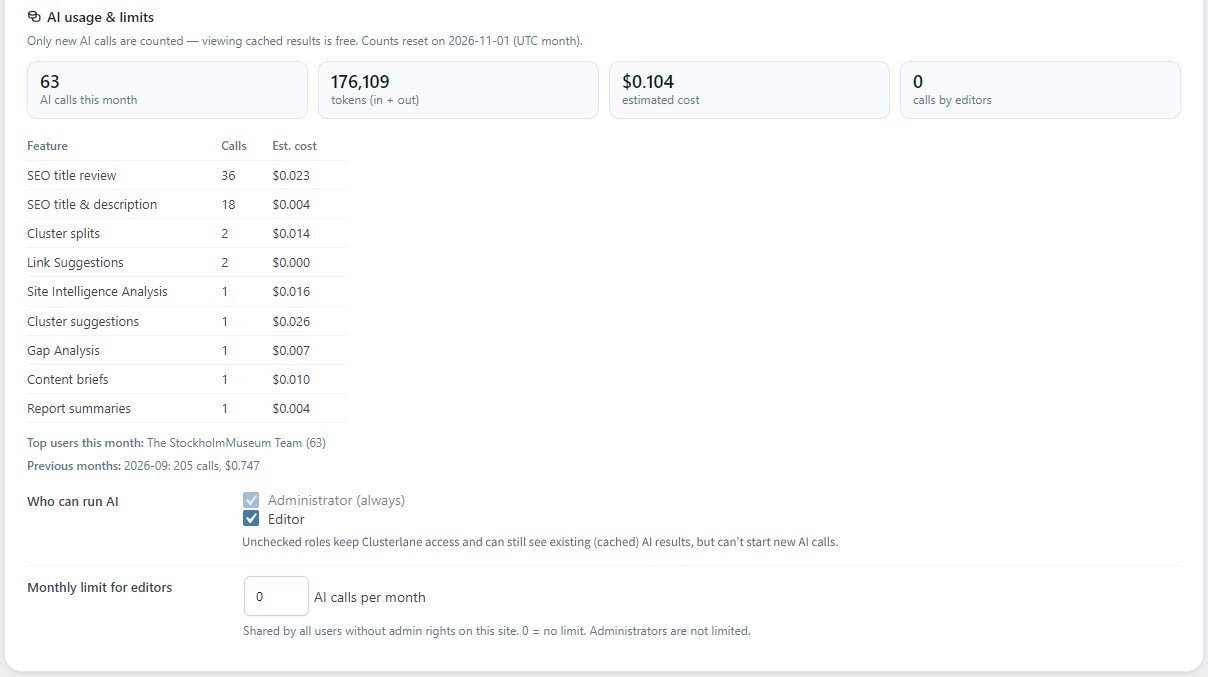
- Calls, tokens and estimated cost per feature and per model
- Which roles may run AI, and a monthly limit for editors
- Saved results are shown again for free; clear the cache when you want fresh ones
Built for agencies and multisite networks
One Agency license covers 25 sites — separate client sites or a WordPress multisite network. Admins are the agency, editors are the client: they see the analyses and fix links, you keep the settings.
- 25 sites on one license
- Network Admin overview of every site, with CSV export
- One AI key for the whole network — or allow each site its own
- Monthly AI allowance per site
- Role-aware screens: settings and structure stay with admins
Ready to see your clusters?
Install Clusterlane on your WordPress site and click Scan, and see your clusters in minutes.